WinOptimizer
Pre-alphaWindows optimization without mystery tweaks.
A Windows utility for controlled, inspectable and reversible system maintenance — diagnostics and optimization where you can see what will change before it changes.
Pre-alpha software. Expect bugs, incomplete functionality and breaking changes.
What it does
WinOptimizer in practice
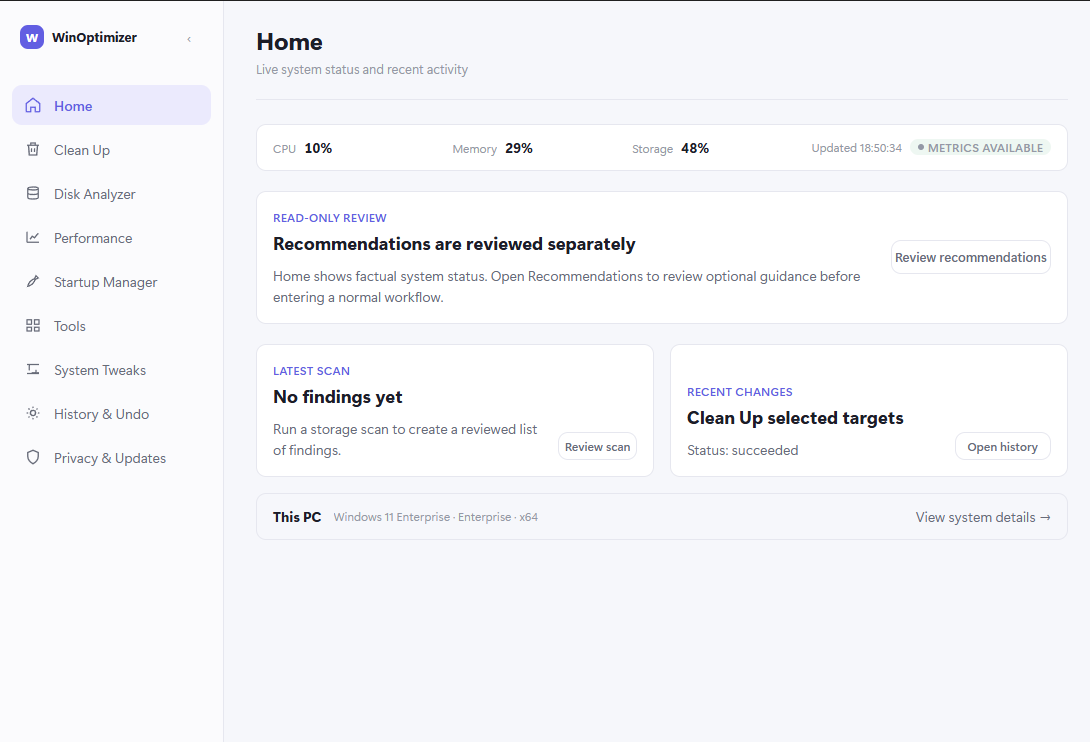
WinOptimizer is a Windows desktop utility built with Rust and Tauri. Its premise is that system maintenance should be inspectable: you should know what a tool is about to change, why it is changing it, and how to undo it.
Work is grouped into focused workflows rather than a single "optimize" button. Each operation is planned, shown with a risk level, executed against an immutable plan, and verified. Results are recorded in an operation journal.
The core runs locally and offline. There are no always-on online features, telemetry is off by default, and updates are explicit and signed.
Capabilities
Main capabilities
Planned, verified, journaled operations
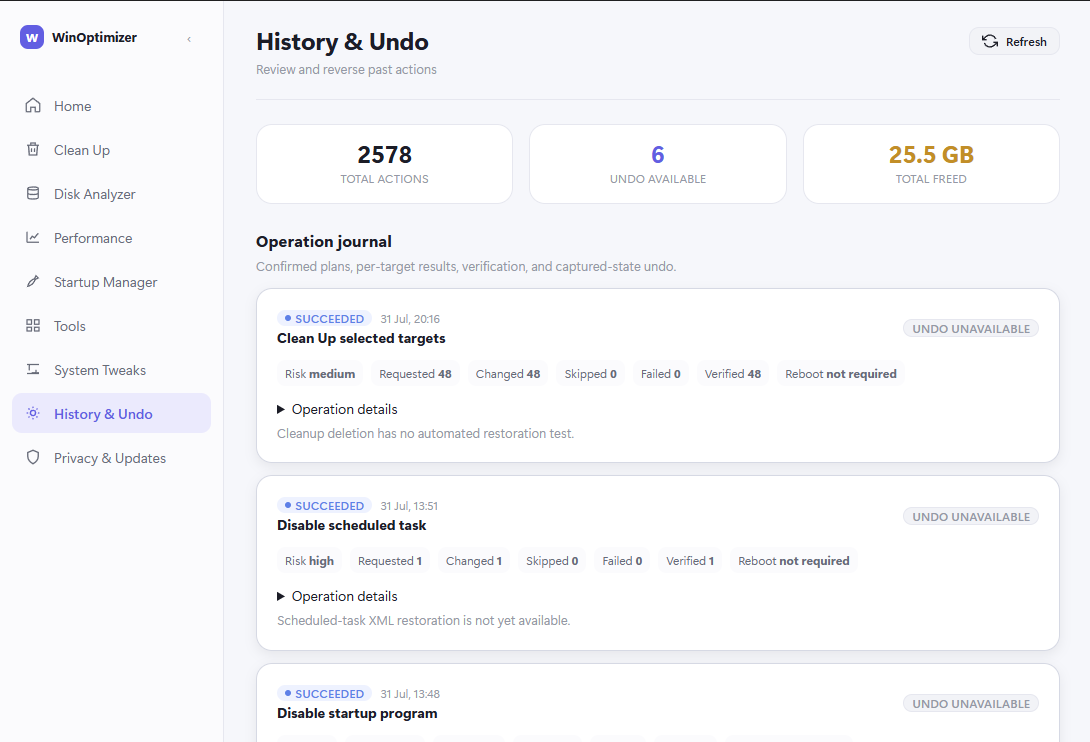
Operations are planned before they run, verified against what was intended, and recorded in a journal with per-target results and whether an undo is available.
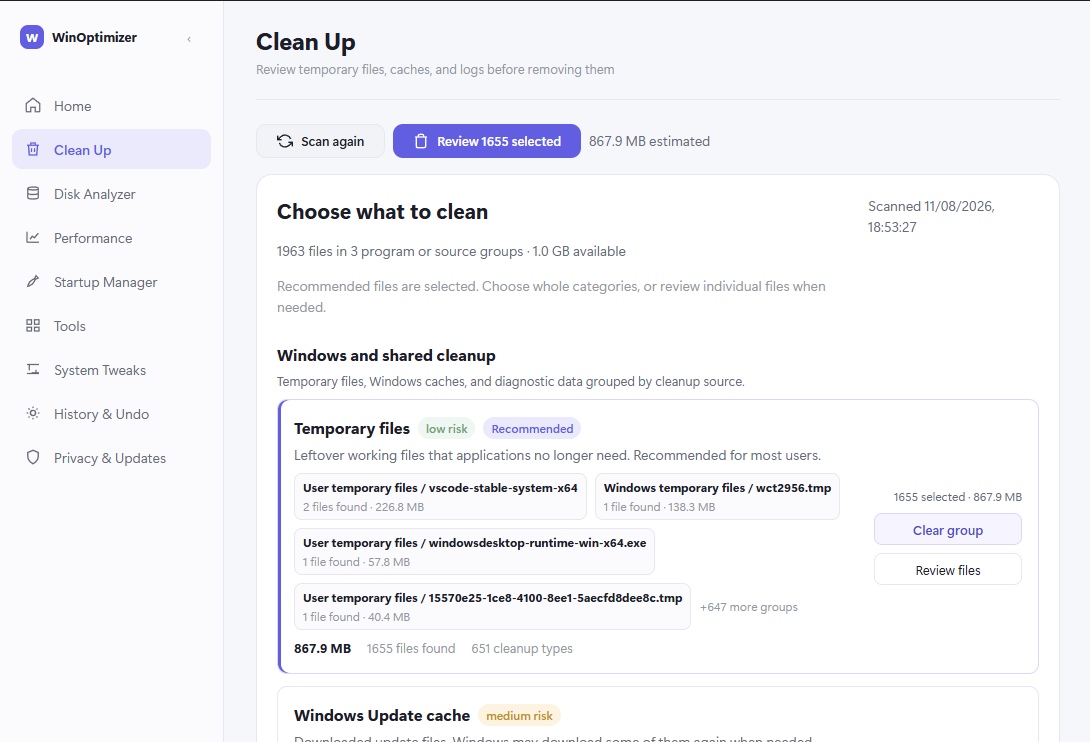
Clean Up with review
Temporary files, caches and logs are grouped by source with risk levels. Findings are reviewed before anything is removed.
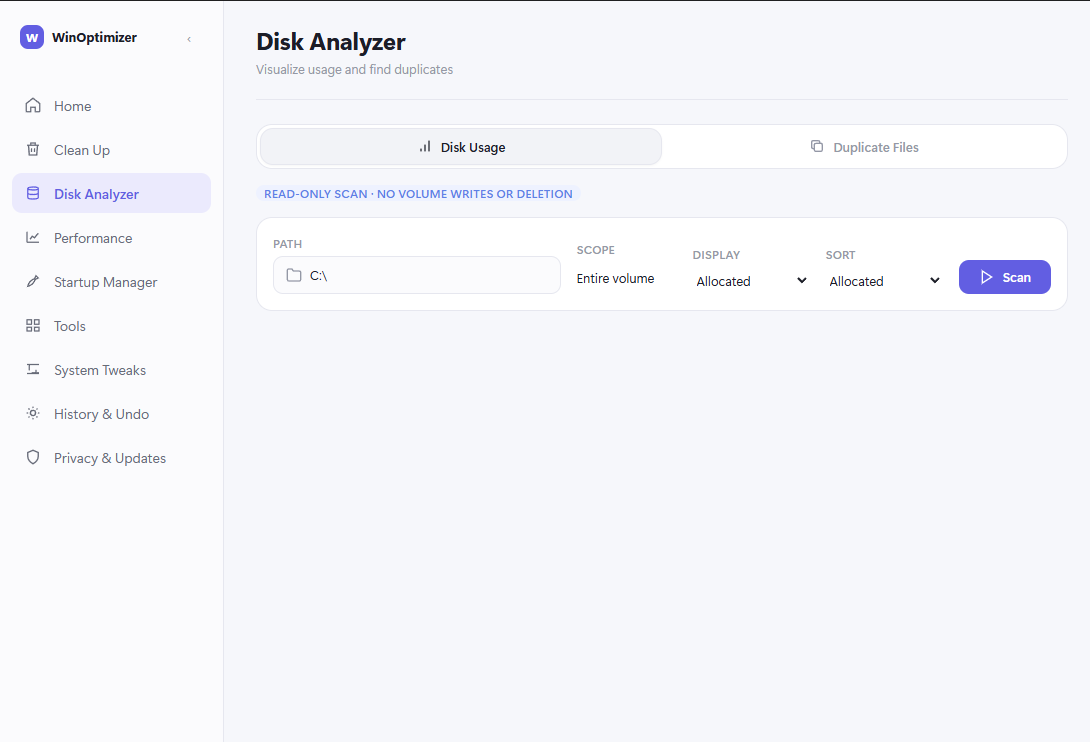
Disk Analyzer
Read-only volume scan to visualise disk usage, with a duplicate-file view. The scan itself performs no writes or deletions.
System Tweaks with explicit state
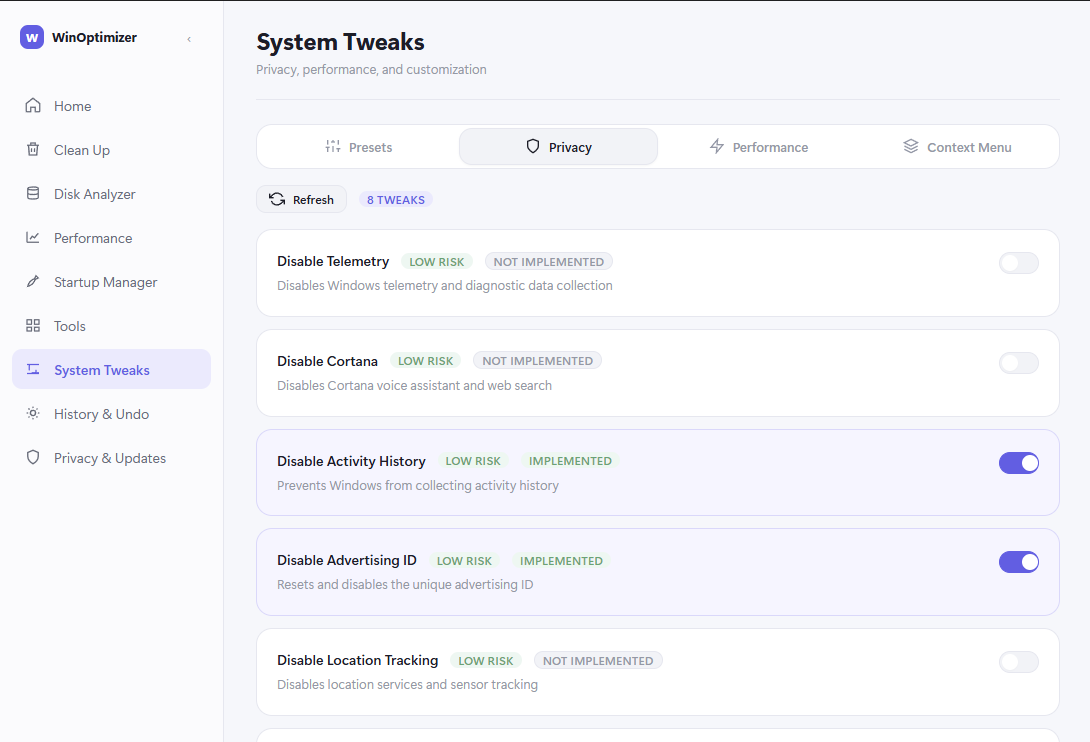
Privacy, performance and customization tweaks are grouped by category, and each one shows a risk level and an explicit implemented / not implemented state. Presets are available.
Startup and process control
See and control what runs at sign-in, and inspect or manage running processes and their resource use.
Repair Center
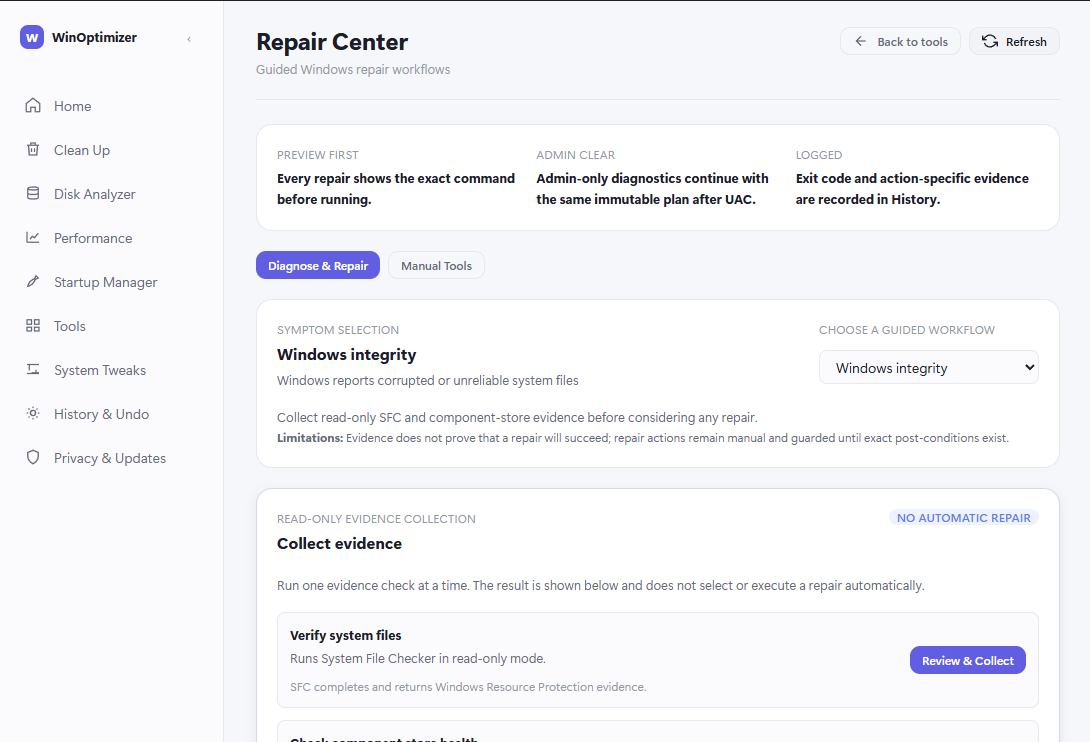
Guided Windows repair workflows that collect read-only evidence first. Repair actions stay explicit and guarded; the tool does not silently repair.
Focused system tools
Process Manager, Hosts Editor, Environment Variables, Network Monitor and a preinstalled-apps policy, each in a focused view.
System information
Hardware and software inventory, including OS edition, build, architecture and CPU identity.
Model
How it works
Plan
A workflow builds a concrete plan of exactly what it intends to change on which targets.
Review
The plan is presented before execution, with risk levels, so it can be understood before it is applied.
Execute and verify
Execution follows the immutable plan, and the result of each target is verified rather than assumed.
Journal and undo
The operation is recorded in history. Where the underlying change supports restoration, an undo is offered; where it does not, the interface says so plainly.
Editions
Free community edition and commercial features
WinOptimizer Free is the open-source community edition, licensed under Apache-2.0. Paid commercial features are separate and are not part of the public source tree.
WinOptimizer Free — open-source community edition
The core application: cleanup, analysis, diagnostics, system tools, history and undo.
Open source under Apache-2.0. Public source available.
Commercial features
Advanced duplicate matching — media-similarity detection, previews and candidate cleanup — and commercial-use authorization. These are separate, signed entitlements.
Requires a paid entitlement. Not part of the public source tree.
- What is free?
- The core application: cleanup, analysis, diagnostics, system tools, history and undo.
- What is open source?
- WinOptimizer Free, the open-source community edition, is licensed under Apache-2.0. Its full source is public.
- What requires payment?
- Advanced duplicate matching (media-similarity detection, previews, candidate cleanup) and commercial-use authorization.
- Where is the public source?
- At github.com/GamerKingHD/winoptimizer-public. The Source link on this page points to the same repository.
- Is the commercial functionality open source?
- No. Advanced duplicate matching and commercial-use authorization are separate, paid entitlements and are not part of the public source tree.
- What does the download contain?
- See the download page for the current build and its contents.
Safety and limits
Safety and limitations
- Some operations require administrator privileges. Those workflows are marked as such in the application.
- Operation history, backups, undo records and support bundles are stored locally on the machine; a support bundle is only created when you explicitly export one.
- Changes are reversible where the underlying Windows operation supports restoration. History & Undo shows when an undo is unavailable instead of implying it always exists.
- The interface records whether a restart is required for an operation; most operations report that a reboot is not required.
- Repair Center collects read-only evidence and does not guarantee that a repair will succeed; repair actions remain manual and guarded.
Requirements
System requirements
- Windows 10 or Windows 11, x64
- Administrator access for operations that change system settings
- Local processing; core workflows work offline
Known issues
Known issues
- Pre-alpha: expect bugs, incomplete behaviour and breaking changes.
- Some System Tweaks are present but not yet implemented; each tweak states this explicitly in the interface.
Release
Release information
No public build has been published yet.
- Build maturity
- pre-alpha
- Windows compatibility
- Windows 10 / 11
- Architecture
- x64
When a build is published, this page will list its version, release date, file size, SHA-256 checksum, source tag and release notes. None of those exist yet, so none of them are shown.
Trust
Source, licence and privacy
Pre-alpha software should say what it is, what it is not, and how to check it.
- License
- Apache-2.0
- Status
- Pre-alpha
- Platform
- Windows
- License note
- WinOptimizer Free is the open-source community edition. Licensed under Apache-2.0. Commercial functionality is separate and is not part of this public source tree.
- Privacy
- Core workflows run locally and offline. Telemetry is off by default with no upload transport in this build, crash reporting is a separate opt-in, and release/guidance checks are opt-in and use signed HTTPS responses only.
Interface
More of the interface